# 为WordPress B2主题商品分类增加描述栏并在前端输出

> 来源：梦飞idc云平台 | 原文：https://www.mfisp.com/1101.html | 发布：2021-10-27 | 更新：2021-11-02 | 分类：建站教程

最近梦飞更新网站升级为WordPress网站程序，并使用了非常知名的B2主题，但这主题要使用还是需要各种调整一下的，比如梦飞之前的原站分类页都会有服务器的增值服务，机房优惠等等。


所以只有在商品分类中去增加一个名为 增值服务的描述栏位 并让其在前端商品分类页中调用出来。


## 目前效果如下
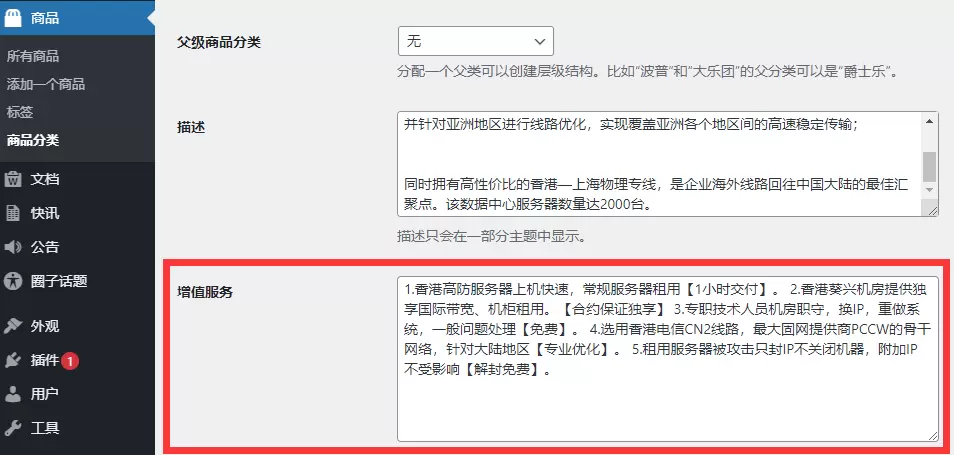
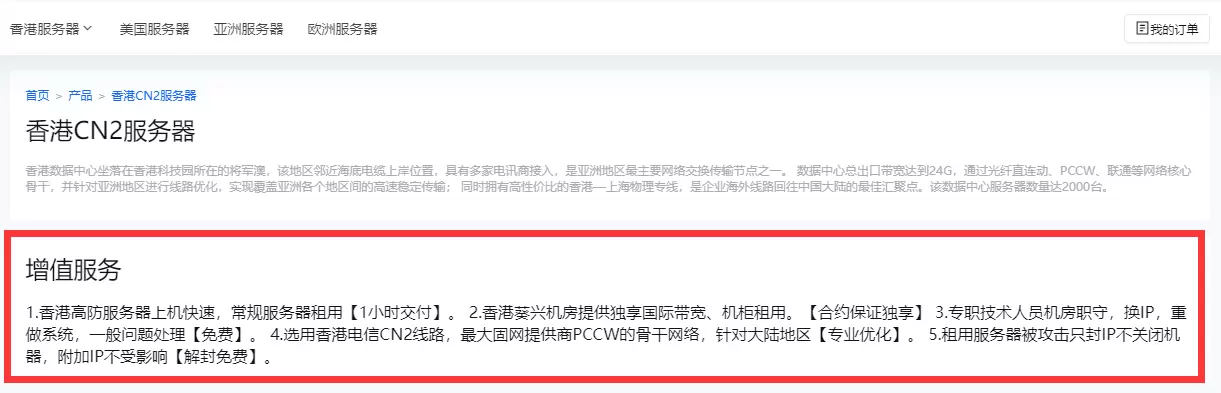
 ![后端效果](https://www.mfisp.com/wp-content/uploads/2021/10/2954ebb414165d8809ff9ad9f6ada77e.webp)后端效果 ![前端效果](https://www.mfisp.com/wp-content/uploads/2021/10/76ceaf170a7eea4df2cc84d273b57cab.webp)前端效果 

## 代码如下


将以下代码写入B2子主题中 functions.php 中，其中代码中的 advalue 可以自行修改为其他英文字符，


shoptype则是商品分类法的名，如果想在文章或其他分类中添加描述，需要将shoptype改为其他分类法的名。


```
add_action( 'shoptype_add_form_fields', 'advalue_add_term_fields' );
function advalue_add_term_fields( $taxonomy ) {
    echo '<div class="form-field">
    <label for="advalue">增值服务</label>
    <textarea id="advalue" name="advalue" rows="8"></textarea>
    <p>机房增值服务设置项</p>
    </div>';
 
}

add_action( 'shoptype_edit_form_fields', 'advalue_edit_term_fields', 10, 2);
function advalue_edit_term_fields( $term, $taxonomy ) {
    $advalue = get_term_meta( $term->term_id, 'advalue', true );
    ?>
    <tr class="form-field">
        <th><label for="advalue">增值服务</label></th>
        <td>
            <textarea id="advalue" name="advalue" rows="8" ><?php echo $advalue ?></textarea>
        </td>
    </tr>
<?php
}

add_action( 'created_shoptype', 'advalue_save_term_fields' );
add_action( 'edited_shoptype', 'advalue_save_term_fields' );
function advalue_save_term_fields( $term_id ) {
    update_term_meta(
        $term_id,
        'advalue',
        sanitize_text_field( $_POST[ 'advalue' ] )
    );
}
```


最后就是输出了，将B2主题中 /TempParts/Shop/category.php 文件复制到 B2子主题中，将下方代码写入合适的位置即可。下方只是输出语句，要加html代码或样式就自由发挥了。


```
<?php echo get_term_meta( $term->term_id, 'advalue', true );?>
```


```

```

---
本页由 梦飞idc云平台（https://www.mfisp.com）提供。站点导航见 https://www.mfisp.com/llms.txt